
Italian Trulli

Kitchen Display System (KDS)

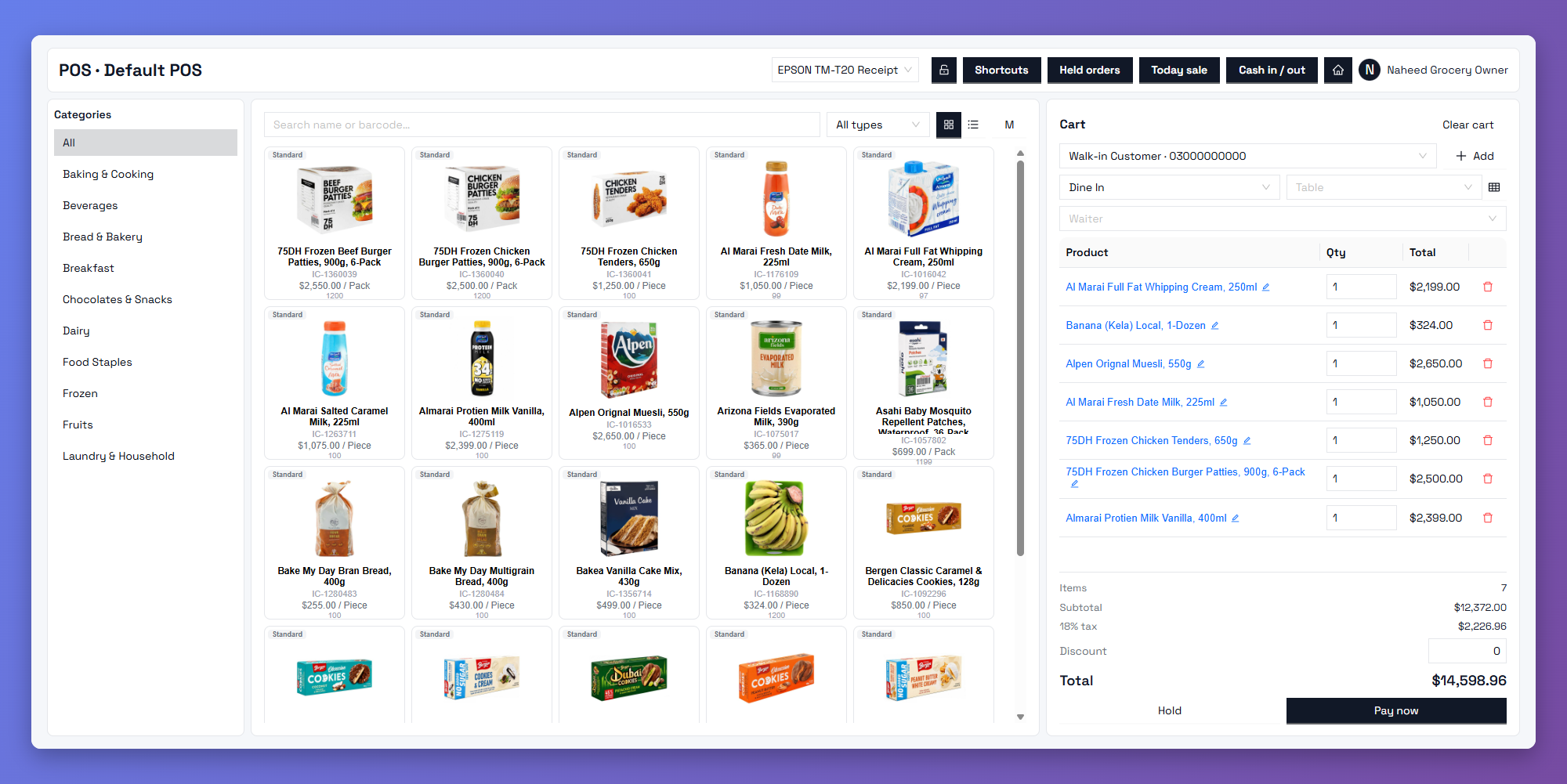
Say goodbye to paper tickets and missed orders. Zbillz KDS sends every order from your POS to the kitchen screen the moment it’s placed, so your team cooks faster, stays organised, and serves every order on time across dine-in, delivery, and pickup.

Instant Order Delivery

Orders appear on the kitchen screen the moment they're punched in. No running back and forth, no waiting.

Fewer Mistakes, Less Waste

Clear, digital tickets replace handwritten notes and lost slips, so every item and modifier is right the first time.

Synced with Your POS

Counter, kitchen, and reports stay connected in real time, across every branch.

Every Order, One Kitchen Screen

Dine-in, delivery, pickup, or multiple stations. Your kitchen sees everything in one clear view.

Dine-In Orders

Table orders show up instantly with table number, items, and special notes. Your kitchen knows exactly what to cook and where it's going.

Delivery Orders

Delivery orders are clearly marked so the kitchen can prepare and pack them on time for rider pickup.

Pickup & Takeaway

Takeaway orders appear with a token number. Mark them ready and your counter team knows immediately.

Multi-Station Routing

Send grill items to the grill, drinks to the bar, and desserts to the pastry station. Each station sees only what it needs to prepare.

A Smarter Way to Run Your Kitchen

Your KDS does more than replace paper. It keeps your whole kitchen in sync.
featured

Live Order Status

Track every order from new to preparing to ready. Everyone in the restaurant sees the same status in real time.

Preparation Time Tracking

See how long each order has been waiting. Colour-coded timers highlight delayed orders so you can act before customers complain.

Kitchen Performance Reports

Review average preparation times, busiest hours, and slow items in detailed reports, and use them to improve speed and staffing.

From Order to Table, Without the Chaos

See how every order moves through your restaurant, step by step.

The order is placed

Your cashier or waiter punches the order into the POS.

Read More

It lands on the kitchen screen instantly.

Items, modifiers, and notes appear on the right station’s display with a timer.

Read More

The kitchen prepares and marks it ready

One tap updates the order status for the whole team.

Read More

It's served or dispatched

Your counter or floor staff know right away, and the order is delivered on time.

Read More

One KDS. Every Branch.

Run kitchen displays across all your locations from a single cloud dashboard, with branch-level screens, stations, and reporting. Scale from one kitchen to many without changing systems.

Kitchen Display System: Common Questions

A KDS is a digital screen in your kitchen that replaces paper order tickets. Orders from your POS appear on the screen in real time, so your team can prepare, track, and complete them without printing or shouting across the kitchen.

A printer gives you a paper slip that can get lost or damaged. A KDS shows live orders with timers and status updates, so your kitchen knows what’s new, what’s delayed, and what’s ready. You can still keep a printer as a backup.

Yes. All order types appear on the same system, clearly labelled, so your kitchen can prepare them in the right order.

Yes. Route items to specific stations such as grill, fryer, bar, or dessert, so each team sees only their own items.

Yes. Every order has a live timer, and reports show average preparation times and delayed orders so you can improve speed.

Yes. Set up screens for each branch and manage everything from one dashboard, with branch-level reports.

Rocket

Upgrade Your Kitchen Today

Give your kitchen a faster, smarter way to work. Connect your POS to kitchen screens and serve every order on time. Start your 14-day free trial. No credit card required.