
Italian Trulli

Table Ordering App

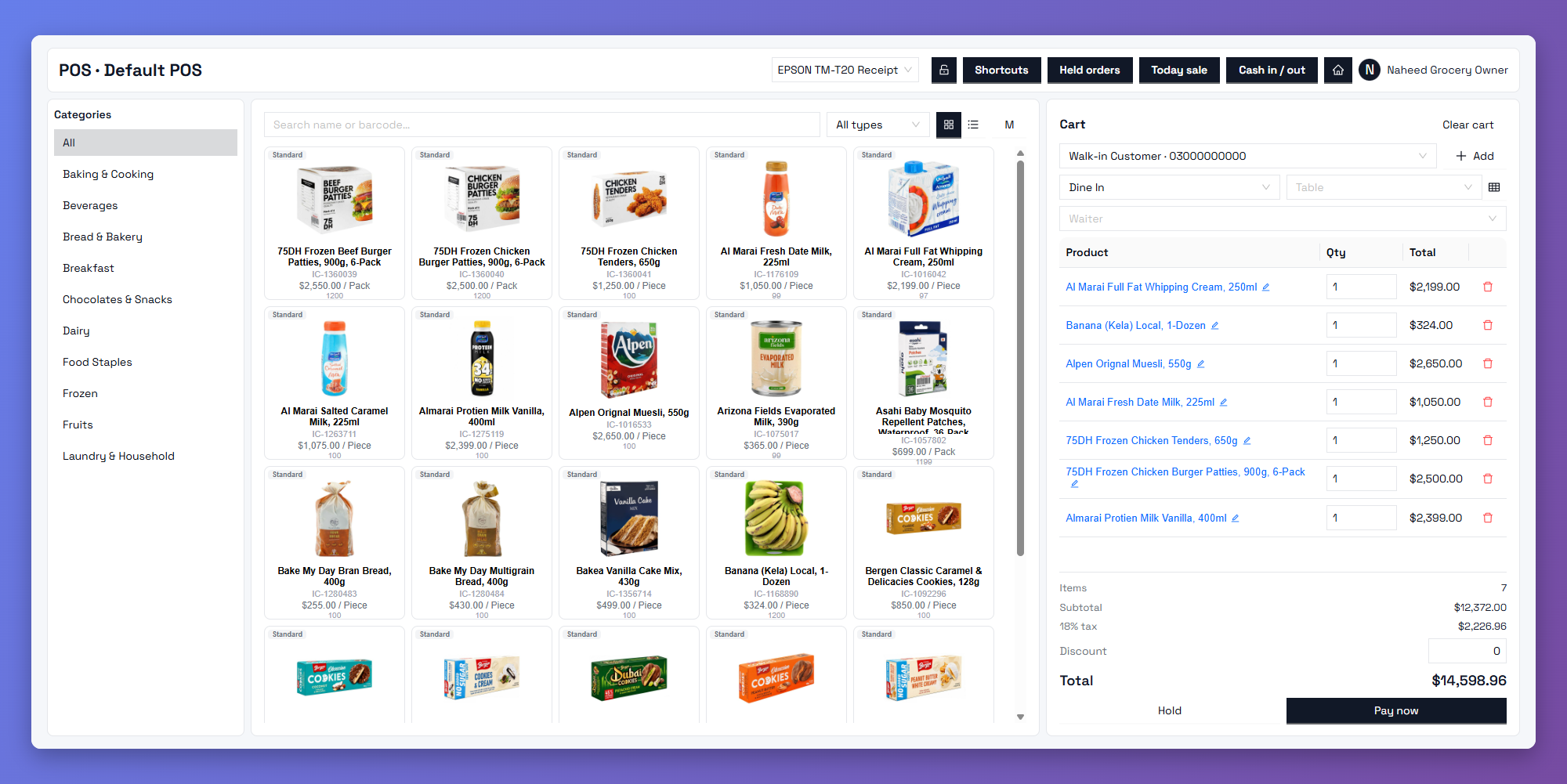
Take orders right at the table. With Zbillz Table Ordering App, your waiters or your guests can place orders in seconds, and every order goes straight to the kitchen. Faster service, fewer mistakes, and happier customers.

Order at the Table

Waiters take orders on a phone or tablet without walking back and forth to the counter.

Zero Order Mistakes

Items, quantities, and special requests are sent digitally, so nothing gets lost or misheard.

Straight to the Kitchen:

Every order reaches the kitchen display or printer the moment it's placed.

Every Table, Fully in Control

From the first order to the final bill, manage the whole dining experience from one app.

Tableside Ordering

Waiters select the table, add items and notes, and send the order in a few taps, right where the guest is sitting.

QR Code Ordering

Guests scan the QR code on their table, browse the menu, and order on their own phone. This works well during rush hours.

Table Management

See which tables are free, occupied, or waiting for the bill. Move guests to another table or merge tables when needed.

Split Bills & Payments

Split the bill by item or equally, and let guests pay the way they prefer. Checkout stays fast and friction-free.

An All-in-One Dine-In Solution

More than taking orders. It keeps your whole floor running smoothly.
featured

Live Kitchen Sync

Orders appear on the kitchen display in real time. No paper tickets, no missed items.

Order Modifications & Notes

Add special requests like "no onions" or "extra spicy", and add items to a running order at any time. The kitchen always sees the latest version.

Waiter & Shift Tracking

See which waiter took which order, and track performance and shifts, so every table has clear accountability.

Detailed Reports

Track table turnover, best-selling dishes, and peak dining hours, so you can improve service and staffing.

From Seat to Bill, Made Simple

Here is how a table order flows through your restaurant.

Guests are seated.

Assign the table in the app, and it’s marked as occupied.

Read More

The order is placed

A waiter takes it at the table, or guests order themselves by scanning the QR code.

Read More

The kitchen prepares it

A waiter takes it at the table, or guests order themselves by scanning the QR code.

Read More

The bill is settled

Print or share the bill, split it if needed, take payment, and the table is free again.

Read More

One App. Every Branch.

Run table ordering across all your locations from a single cloud dashboard, with branch-level menus, tables, staff, and reporting. Scale from one restaurant to many without changing systems.

Table Ordering App: Common Questions

It is an app that lets waiters (or guests) place orders directly from the table. The order goes straight to the kitchen, which saves time and reduces mistakes compared to paper notes.

Yes. Guests can scan a QR code at their table, browse your menu, and place an order without waiting for a waiter.

Yes. Orders appear on your kitchen display or print at the kitchen printer the moment they’re placed.

Yes. Add more items to a running order at any time, and the kitchen sees the update right away.

Yes. You can split the bill by item or equally, and transfer or merge tables when needed.

It works on standard phones and tablets, so you don’t need special handheld hardware.

Rocket

Serve Your Tables Faster Today

Give your team a faster way to take orders and your guests a smoother dining experience. Start your 14-day free trial. No credit card required.