
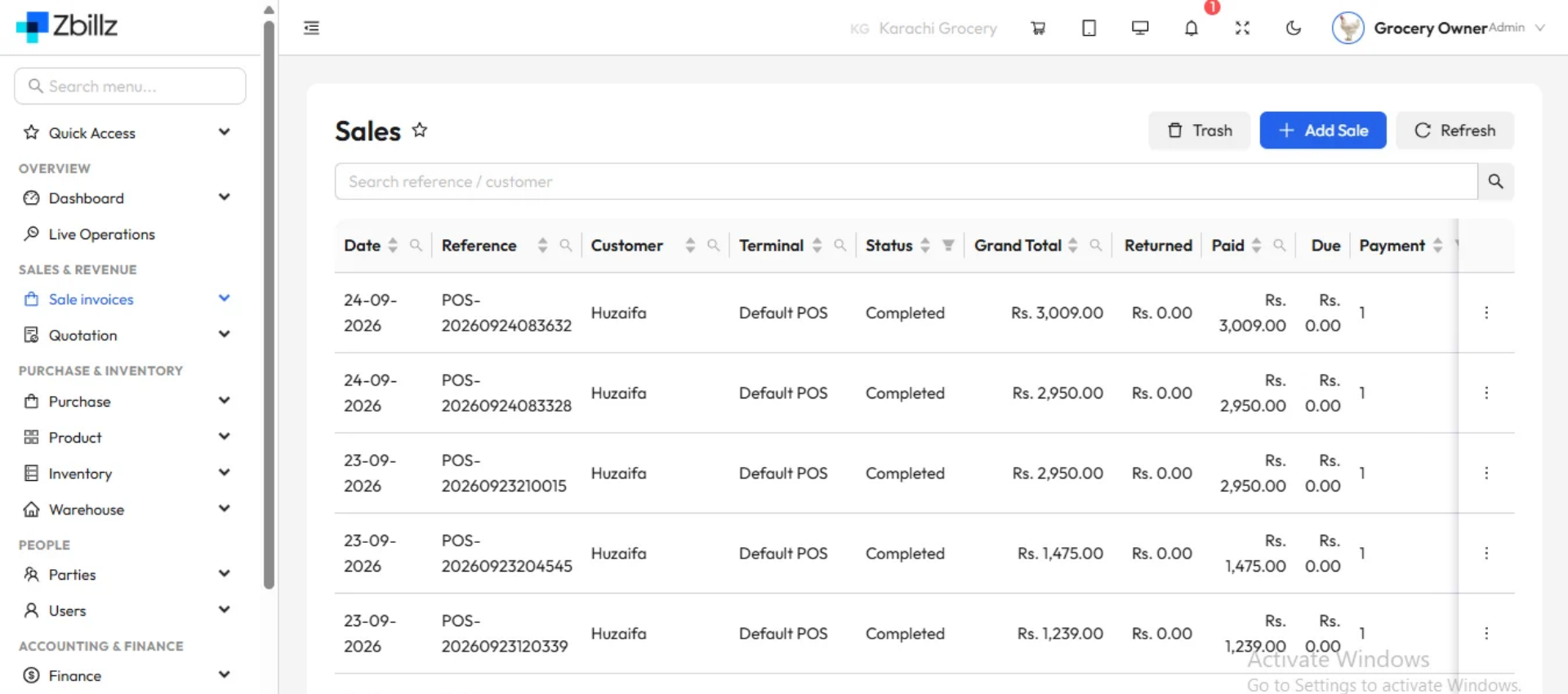
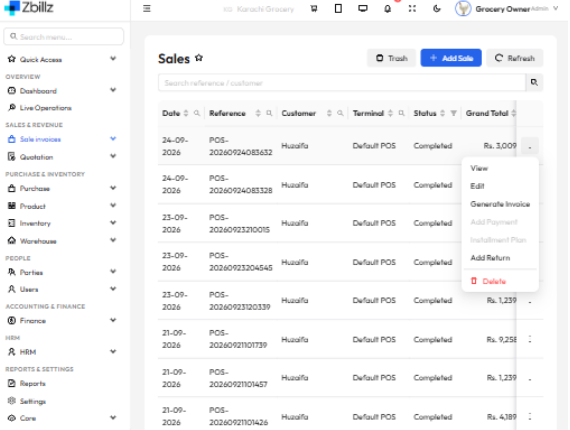
zbillz automatically logs every order across your POS, online storefront, and delivery platform. Search any past order in seconds, review full details, process refunds, and turn your order history into revenue insights — all from one restaurant order management system.
Every order is saved the moment it's confirmed — no manual data entry, no paper records, nothing to maintain.
Find any past order by customer, date, channel, or order number — months of history, searchable in under a second.
Your order history feeds real-time analytics — peak hours, top items, and daily revenue, with nothing extra to configure.
zbillz logs every order the moment it’s placed — from your POS counter, your online ordering page, or your delivery operation. Your order history is always complete, always searchable, and never dependent on a paper trail. Filter by date range, order type, payment method, or status and find exactly what you need without scrolling through hundreds of records.
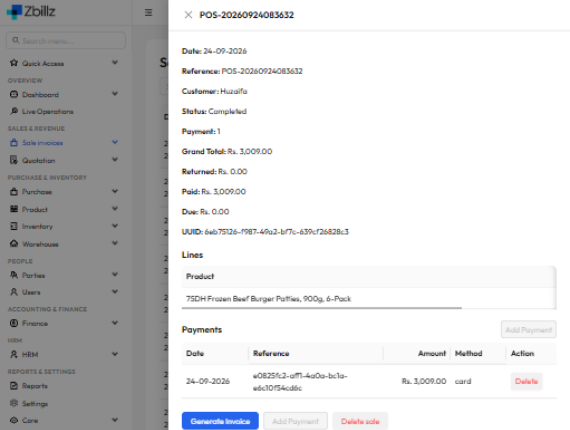
Open any order from your history and see the complete picture — every item, its quantity and price, any modifiers, the customer’s details, the payment method, and a full timestamp trail from when the order was placed to when it was fulfilled. Whether you’re resolving a customer complaint, processing a refund, or checking what was sold on a specific day, everything is right there.
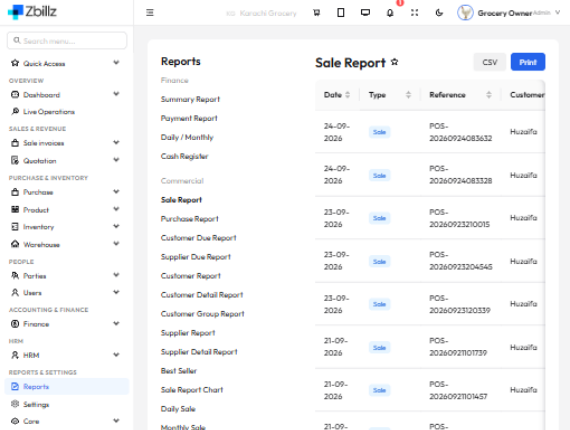
Your order history is more than a log — it’s the foundation of every report in zbillz. Revenue by day, week, or month. Your top-selling items. Your busiest hours. Order volumes by channel. All of it built automatically from the same records your team creates every shift. No spreadsheets, no exports — your restaurant order management system does the work.
Every tool you need to manage, search, and act on your order data — built into zbillz, no add-ons required.
Every order your restaurant processes — dine-in, takeaway, delivery, and online — is stored automatically. Nothing gets missed, nothing needs to be written down.
Find any past order by customer name, order number, date range, order type, or status in seconds — even if it was placed months ago.
Open any historical order and see everything — items ordered, quantities, modifiers, customer info, payment method, timestamps, and the staff member who handled it.
View orders from every source in one unified history — your POS counter, online storefront, and delivery platform orders all appear together with clear channel labels.
All refunds and cancellations are logged against the original order — you always have a clear audit trail for disputed transactions and end-of-day reconciliation.
Turn your order log into insight — peak hours, best-selling items, revenue by channel, and order volume trends built directly from your complete order history.
No setup required — Nosh starts logging orders the moment you process your first transaction.

Every order placed through zbillz — whether at the counter, online, or via delivery — is recorded in your order history the moment it's confirmed. There is no manual entry and nothing to set up.
Use the order history dashboard to search by customer, date, order type, or status. Open any record to see the full itemised breakdown, payment details, and timeline for that order.
Process a refund directly from the order record, analyse revenue trends from your history, or use order data to identify your busiest periods and top-selling items — all in one place.

A restaurant order management system is software that handles how orders are received, processed, tracked, and recorded across your restaurant operations. It covers the full order lifecycle — from the moment a customer places an order at the counter, online, or through your app, through to preparation, payment, and fulfilment. zbillz restaurant order management system brings all of this into one platform: your POS captures counter and takeaway orders, your online storefront captures digital orders, and every one of them flows into the same order history so your team always has a complete, up-to-date record.
Restaurant order history software is a system that automatically logs and stores every order your restaurant processes, making that data searchable and actionable long after the order is complete. Restaurants need it for several reasons: resolving customer disputes quickly (you can pull up any order in seconds), tracking down errors and cancellations, reconciling daily cash and card payments, and understanding which menu items and time slots drive the most revenue. Without restaurant order history software, managers rely on printed receipts, manual logs, or memory — all of which are error-prone and impossible to search. zbillz builds order history directly into its restaurant management platform so every transaction is preserved automatically.
zbillz works as a food order history management system by capturing every order from every channel — your POS, online ordering website, and delivery operations — into a single, unified order log. Each record includes the full order details: items, quantities, modifiers, prices, payment method, order type, customer information, and a timestamp for every status change from placed to fulfilled. You can search and filter this history by date, customer, order type, or status, and open any record to review or act on it. As a food order history management system, zbillz goes beyond basic logging — the same data feeds your analytics reports so you can see revenue trends, peak hours, and bestsellers without exporting anything.
Order history software in a restaurant is used for several practical day-to-day purposes. First, customer service: when a customer contacts you about a past order, you can find it in seconds and see exactly what was ordered and charged. Second, financial reconciliation: managers use order history to match daily sales against payments and identify discrepancies. Third, refund and cancellation management: every refund or cancelled order is logged against the original record, giving you a clear audit trail. Fourth, performance analysis: your order history is the raw data behind reports on best-selling items, peak ordering times, and revenue by channel. zbillz order history software handles all of these use cases from the same dashboard your team uses for daily operations.
Yes. zbillz restaurant order management system is built for both single-outlet restaurants and multi-branch chains. Each branch maintains its own order history — staff at one location only see their own orders. As the owner or manager, you get consolidated order data across all branches from your central dashboard, so you can compare performance between locations and review the full business picture without switching between accounts. Whether you’re running one location or a growing chain, the same order history tools are available everywhere zbillz is deployed.
Launch your first discount campaign in minutes — percentage off, coupon codes, BOGO deals, and more. Drive orders and reward your customers with zbillz.
